MCP v3.3.0Powered by the Model Context Protocol
WordPress module for Elementor
Elementor MCP: build with precision, generate without limits.
Show it your client's mockup, describe the section you need — the AI generates a clean, semantic, SEO-optimized Elementor structure right inside your editor. Zero divitis, zero copy-paste.
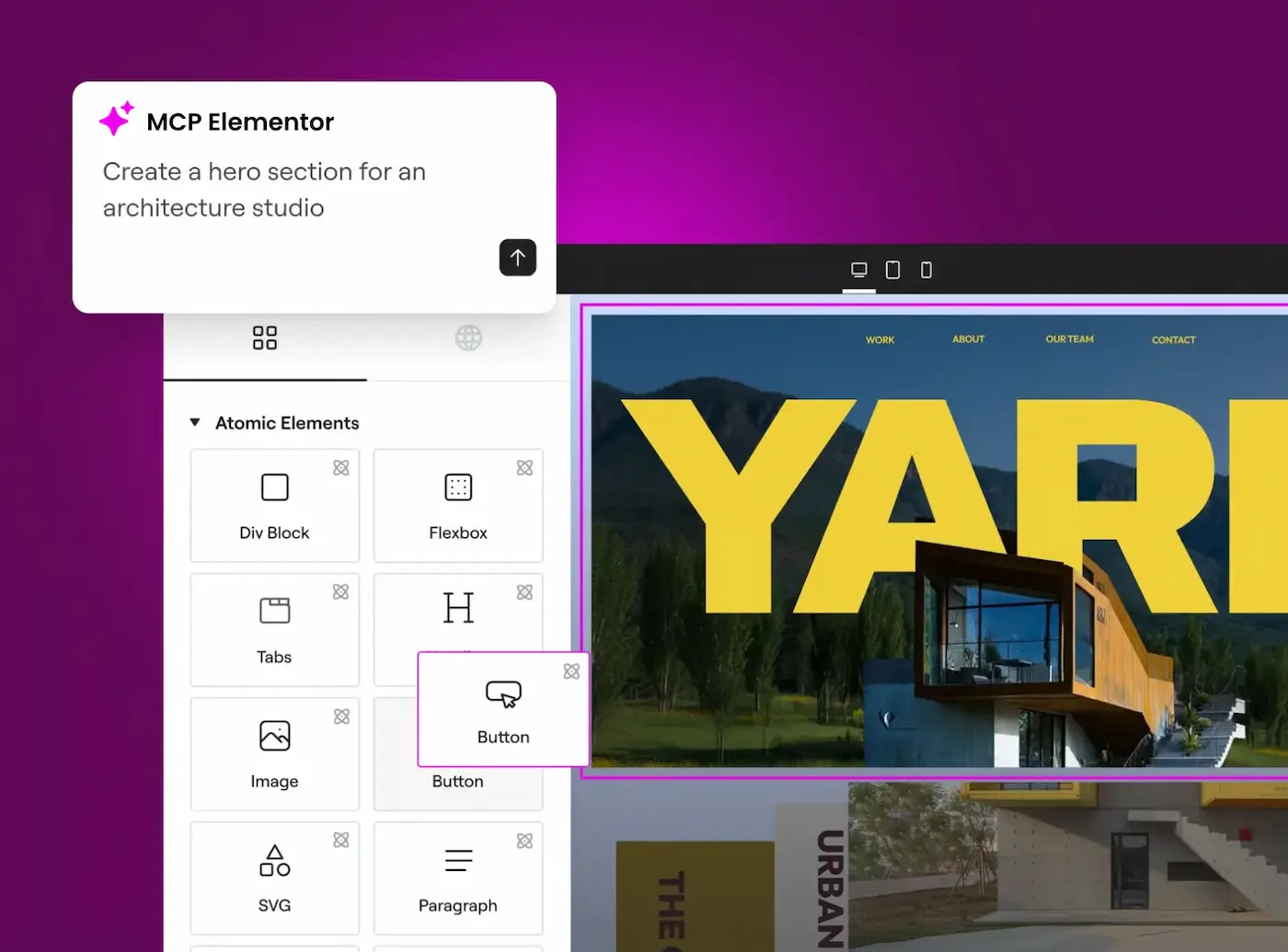
Watch it build a page in one minute
A client mockup, one sentence in ChatGPT or Claude, and the real Elementor page appears on the site, editable block by block.
The chat with the assistant is recreated for the video. The page, the Elementor editor and the checks are filmed on a real WordPress site running plugin v3.3.
How do you turn a client mockup into an Elementor page?
You don't retype the brief as a wall of text — you hand your AI assistant the mockup itself, and the plugin does the rest inside Elementor.
- 1
Share the mockup
Paste the screenshot, Figma link or PDF into Claude, ChatGPT or Cursor alongside a short brief — no separate upload step, no new tool to learn.
- 2
It reads your design system
Over MCP, the assistant pulls your site's actual Elementor tokens — colors, type, spacing — so the output matches your kit instead of hard-coded guesses.
- 3
The page is built section by section
Atomic Elementor elements, semantic HTML, zero divitis — inserted directly into your editor, ready to fine-tune like any other Elementor page.
- 4
Fidelity is checked, not assumed
Before anything ships, the result is compared back against your mockup and corrected until it matches — then audited for heading structure, alt text and Schema.org.
Where does each piece actually run?
Your AI assistant and the plugin both sit on your side. Nothing you show the assistant passes through our servers.
No AI model runs on our servers — the generating is done by your own subscription.
A plugin built for WordPress professionals
Not a throwaway page generator: a production tool that respects your quality standards.
Elementor Atomic Design
Every generation follows a clean hierarchy: containers, columns, reusable widgets — the same structure Elementor's own Editor V4 uses. Your designs stay modular, and anyone on your team can still edit them by hand afterwards.
Automatic SEO & Schema.org
Consistent H1→H6 heading structure, alt attributes, and Schema.org microdata (LocalBusiness, Product, FAQ…) injected automatically based on context — the kind of detail that's easy to skip under a client deadline, and easy to bill for when it's not.
Semantic DOM, zero divitis
The AI generates <section>, <article> and <nav> tags instead of nested divs. Clean code that Google, screen readers, and the next developer to open the page all understand.
Auto-generated CPTs & ACF
Need a "Projects" Custom Post Type with its own ACF fields? Describe it once: the plugin creates the CPT, the fields, and the matching Elementor templates — no separate trip to Advanced Custom Fields.
One price, paid once
No subscription, no hidden fees. Need several licenses (clients, sites, teammates)? Adjust the quantity.
Elementor MCP
The whole plugin, forever, no limits
- ✓Unlimited generations included
- ✓Lifetime license — pay once, keep the plugin
- ✓Atomic Design & semantic DOM
- ✓Automatic SEO & Schema.org
- ✓CPT & ACF field generation
- ✓Updates included
- ✓Email support
Secure payment by Stripe · No VAT charged (French micro-business exemption)
14-day money-back guarantee · See the refund policy
Find my license key
Enter the email you used at purchase to check your license status and access your customer portal.
Download the plugin
Paste your full license key to download the latest version of the module.
Always the latest version — your key also unlocks future updates.
Frequently asked questions
You install the WordPress plugin, paste your license key, and connect your AI assistant (Claude, ChatGPT, Cursor…) to the plugin's MCP server. Describe the element you want to your assistant: it generates the Elementor structure and the plugin inserts it directly into your page.
If the official MCP covers what you need, use it: it is free and it comes from the team that builds Elementor. This one differs on three points. It also works in claude.ai (web and mobile) and ChatGPT, with a simple sign-in to your WordPress, while the official setup targets Claude Code, Claude Desktop, Codex and Cursor. It starts from your mockup and checks the result against it before writing. And it checks SEO and Schema.org on every write.
On a single site: the key automatically binds to the first WordPress site that activates it. Need several sites? Adjust the quantity at purchase — each unit gives you its own license (1 license = 1 site).
Yes — that's the whole point of the product. The AI is constrained by strict rules: Atomic Design hierarchy, semantic tags (section, article, nav), consistent headings, Schema.org microdata. You can then edit everything normally in Elementor.
No. The plugin connects to the AI assistant you already use (Claude, ChatGPT, Cursor…) through the Model Context Protocol: your existing AI subscription does the generation. No API keys to create, no hidden AI costs — only your license key is needed.
Yes. You pay €9.99 once: the license is lifetime, with no renewal and no hidden fees. No usage limits — generate as many elements as you want, at no extra cost.
Yes, 14 days money-back, no questions asked. Just send us an email.
Yes — that's the main way agencies use it. Share the mockup (a screenshot, a Figma link, a PDF) with your AI assistant along with a short instruction. It reads your Elementor design tokens, rebuilds the section to match, and the plugin checks the result against the mockup before inserting it.
Free servers exist and can be worth trying. This one is built specifically around mockup fidelity: repeated compare-and-correct passes against your source design before anything is inserted, plus a structural SEO and Schema.org audit run on every write. No server setup either — paste your license key and your assistant is connected.